This fun trend sees you being able to turn your horse or pet into a Disney character using AI technology.
You use an AI image generator to create these images and make your furry friend into a movie poster in the style of Pixar.
The trend is being seen all over Tik Tok, Twitter and Instagram at the moment and it’s so easy to do, as well as having no cost!
– Nick Rosendale,Founder | Events Through a Lens
This fun trend sees you being able to turn your horse or pet into a Disney character using AI technology.
You use an AI image generator to create these images and make your furry friend into a movie poster in the style of Pixar.
The trend is being seen all over Tik Tok, Twitter and Instagram at the moment and it’s so easy to do, as well as having no cost!
– Nick Rosendale,Founder | Events Through a Lens
1.
How to do the AI Pixar horse and pet trend
To take part in the AI dog trend, you’ll need Bing’s free image creator tool, available here.
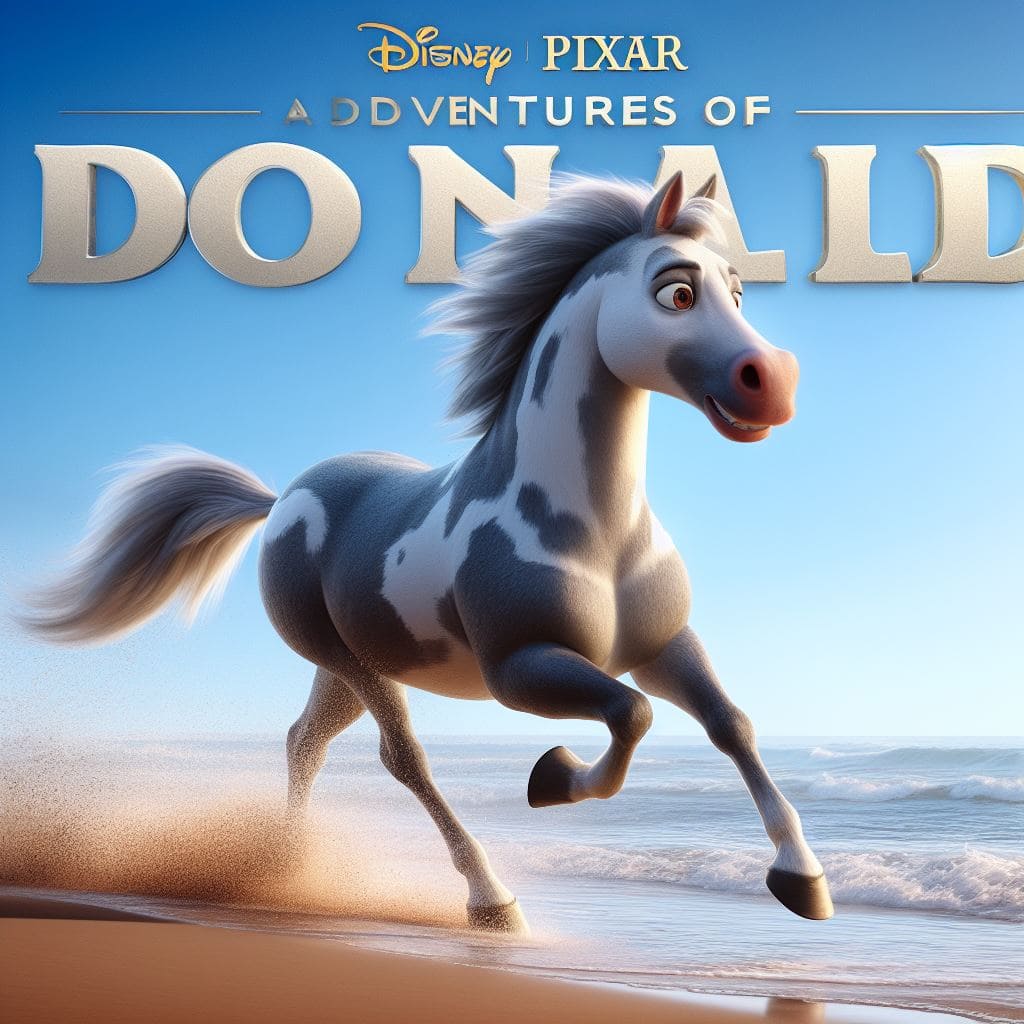
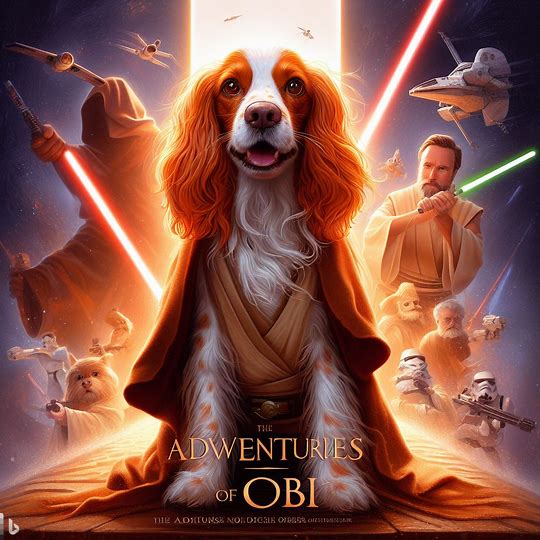
In our examples, we have used a dapple grey called Donald and Obi the Cocker Spaniel.
Open the Bing image creator website.
Type in a prompt. You do need to be specific and describe your horse or pet well for it to actually look like them. You also need to tell it you want a Disney Pixar-style movie poster, include your chosen title and give a detailed description of the pet, such as breed, eye colour, fur colour/type and gender. You can alsodescribe what you want the scene to look like.
Once you’ve put all the information in, you click “Join and Create.” You will need to log into your microsoft account or create one in order to be able to generate your images.
You’ll be shown a message to tell you the images are being created, this will take a few minutes.
If you don’t like the images you can regenerate again based on your current description or take that opportunity to tweak it and try again.
Once you have what you like, you click “Download” to save the image to your device and upload where you like!
Sign up to MEDIA MENTORS to access the rest of this article and many more.
To get you started, here is a generic template you can copy and paste into the prompt box.
“A Disney Pixar-inspired movie poster with the title ‘YOUR TITLE’ ‘A VERY DETAILED DESCRIPTION OF YOUR DOG’ The scene should be set in the distinct digital art style of Pixar, with the focus on character expressions, vibrant colours and detailed textures that are characteristic of Pixar animation.”
Some examples of how to describe your pets for the generator.
A detailed Pixar inspired movie poster with the title THE ADVENTURES OF OBI with Star Wars themes, the scene should be set in the distinct digital art style of Pixar, featuring an orange roan cocker spaniel as a Jedi, The scene should be set in the distinct digital art style of Pixar, vibrant colors and detailed textures that are characteristic of Pixar animation with Star Wars.
A Disney Pixar-inspired movie poster with the title ADVENTURES OF DONALD. featuring a dapple grey horse galloping along a beach, The scene should be set in the distinct digital art style of Pixar, with a focus on character expressions, vibrant colors and detailed textures that are characteristic of Pixar animation.
This trend is being seen all over Tik Tok, Twitter and Instagram at the moment and it’s so easy to do...
Conclusion
Some final words
This fun and popular trend will undoubtedly get a great reception on your own social media.
In conclusion, the AI-driven trend of creating Disney Pixar-style animated pets has undoubtedly sparked a wave of creativity and innovation within the digital community.
This trend not only celebrates the charm and character of dogs but also highlights the vast potential of artificial intelligence.